Warehouse Scanner App (Xamarin + WMS)
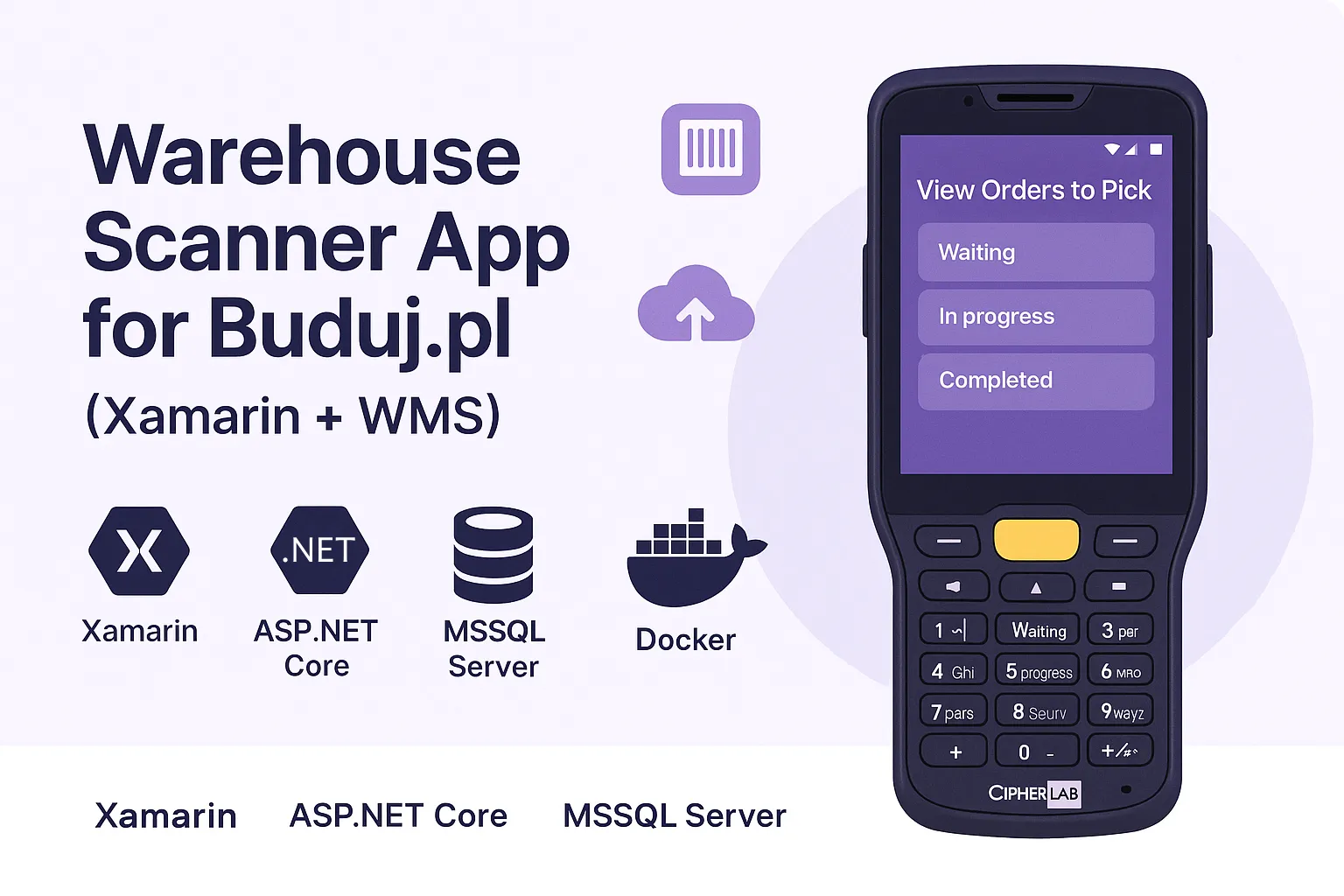
Tech Stack:
Project Details
My Role
Full-Stack Developer
Development Duration
1 month
This project is private or under NDA.
📦 Warehouse Scanner App for Buduj.pl (Xamarin + WMS)
This mobile barcode scanner app was built for Buduj.pl, a Polish retail & logistics company, to improve their warehouse operations by digitizing the order picking process.
The app runs on CipherLab RK26 SE4100 handheld Android scanners and integrates in real-time with a WMS backend built on ASP.NET Core REST API, hosted via Docker with an MSSQL Server database.
🧠 Why Xamarin?
- ✅ Client required native performance on Android scanners with barcode SDK integration
- ✅ UI needed to be responsive to physical button triggers
- ✅ Xamarin allowed shared C# logic with direct platform access and low learning curve for .NET team
- ✅ Quick deployment via APK for field testing
⚙️ Architecture Overview
- Frontend: Xamarin.Forms (MVVM) with dependency injection
- Backend: ASP.NET Core RESTful Web API
- Handles scan validation, order syncing, and role-based authentication
- Optimized with async endpoints, bulk SQL ops, and Dockerized deployment
- Database: MSSQL Server with stored procedures and indexing
- Infrastructure: Docker Compose (API + DB), hosted on internal Linux server
🔧 Tech Stack
Xamarin.Forms, ASP.NET Core, REST API, MSSQL Server, Docker, ReactiveUI, GitHub Actions
👨🔧 Features Delivered
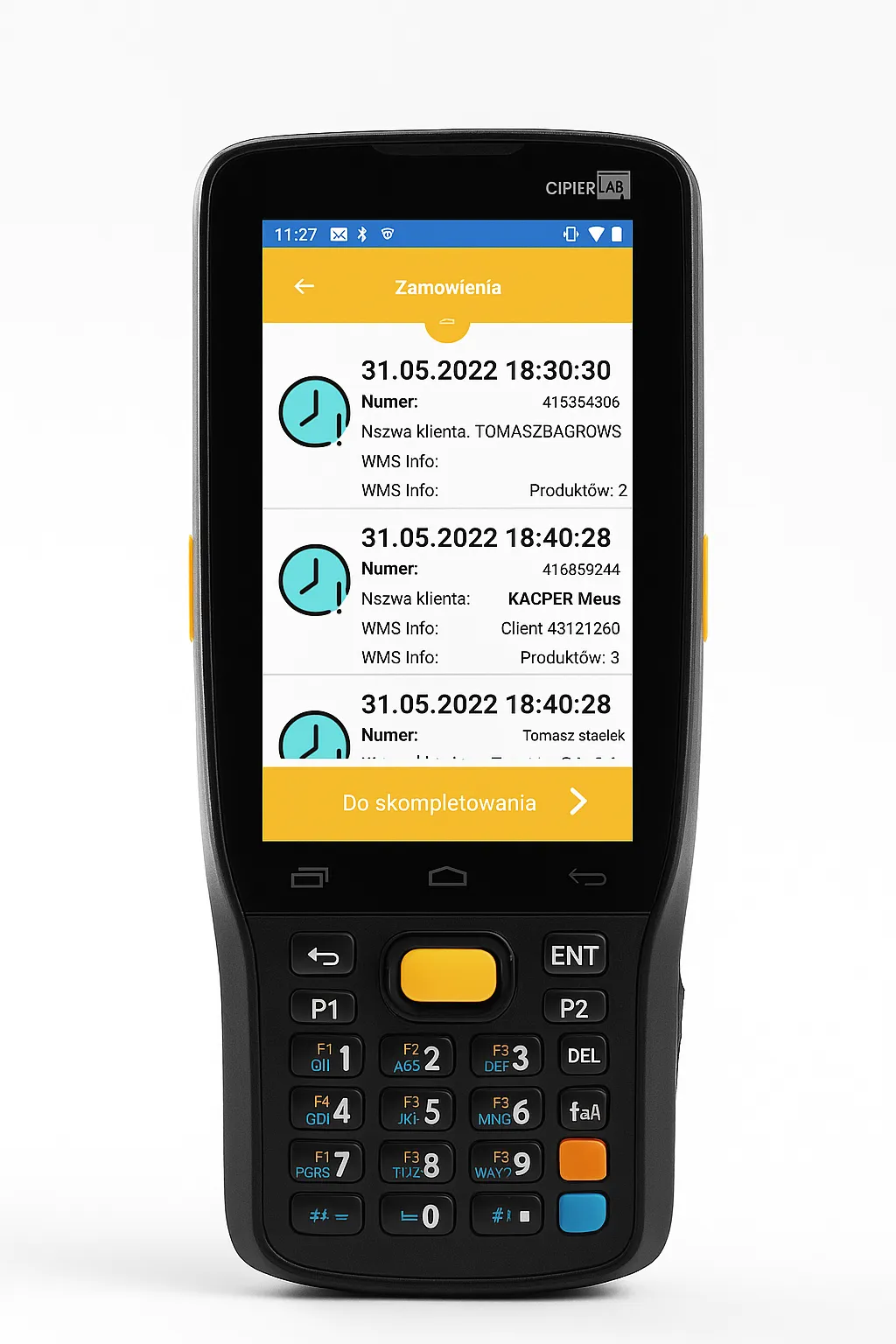
🧾 View Orders to Pick
Users can see the full list of pending orders categorized by status:
- Waiting
- In progress
- Completed
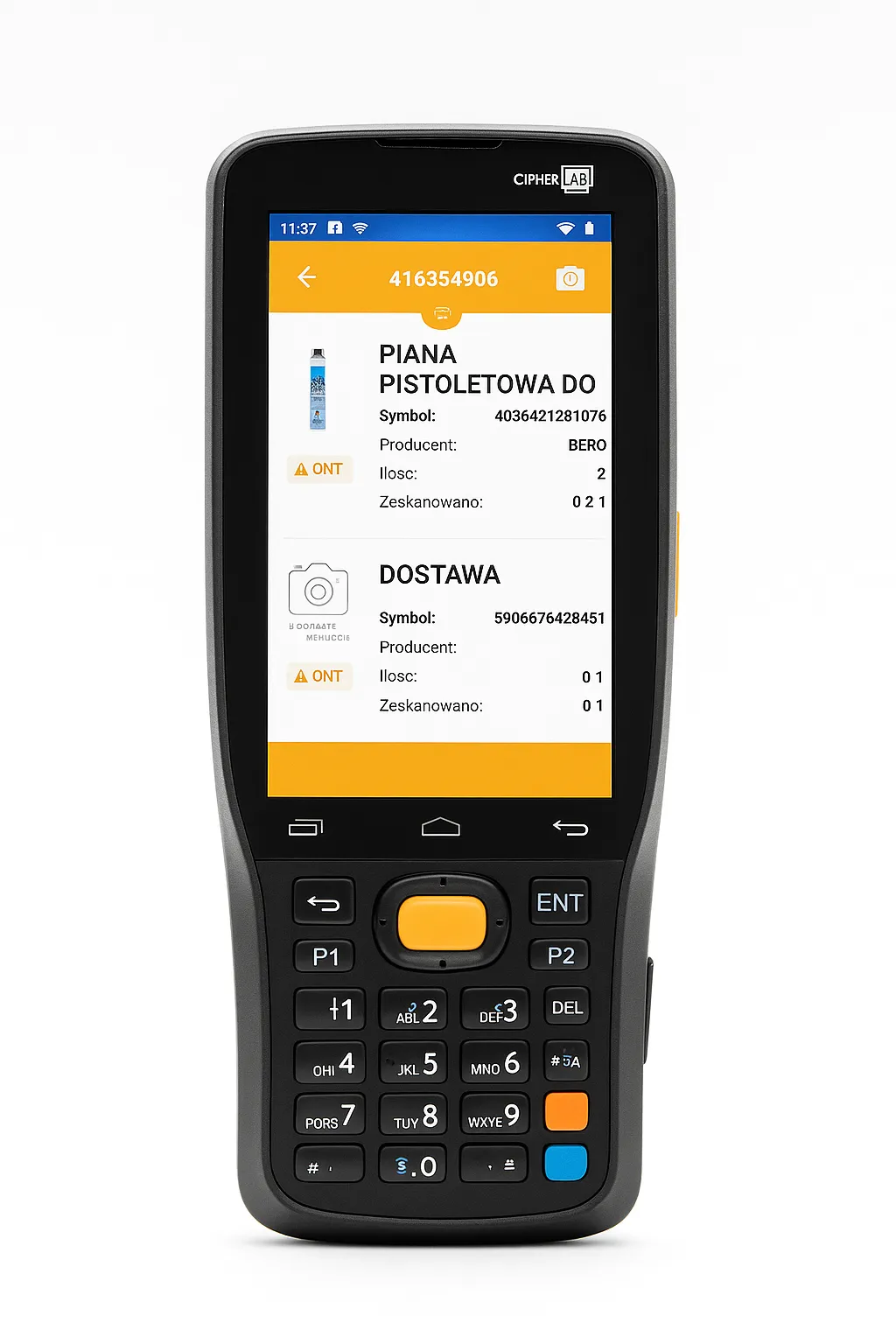
🧺 Scan Products to Bin
Each order is split into items to be scanned into the courier's virtual picking basket.
The scanner reads the barcode, validates it via REST API, and updates order progress.
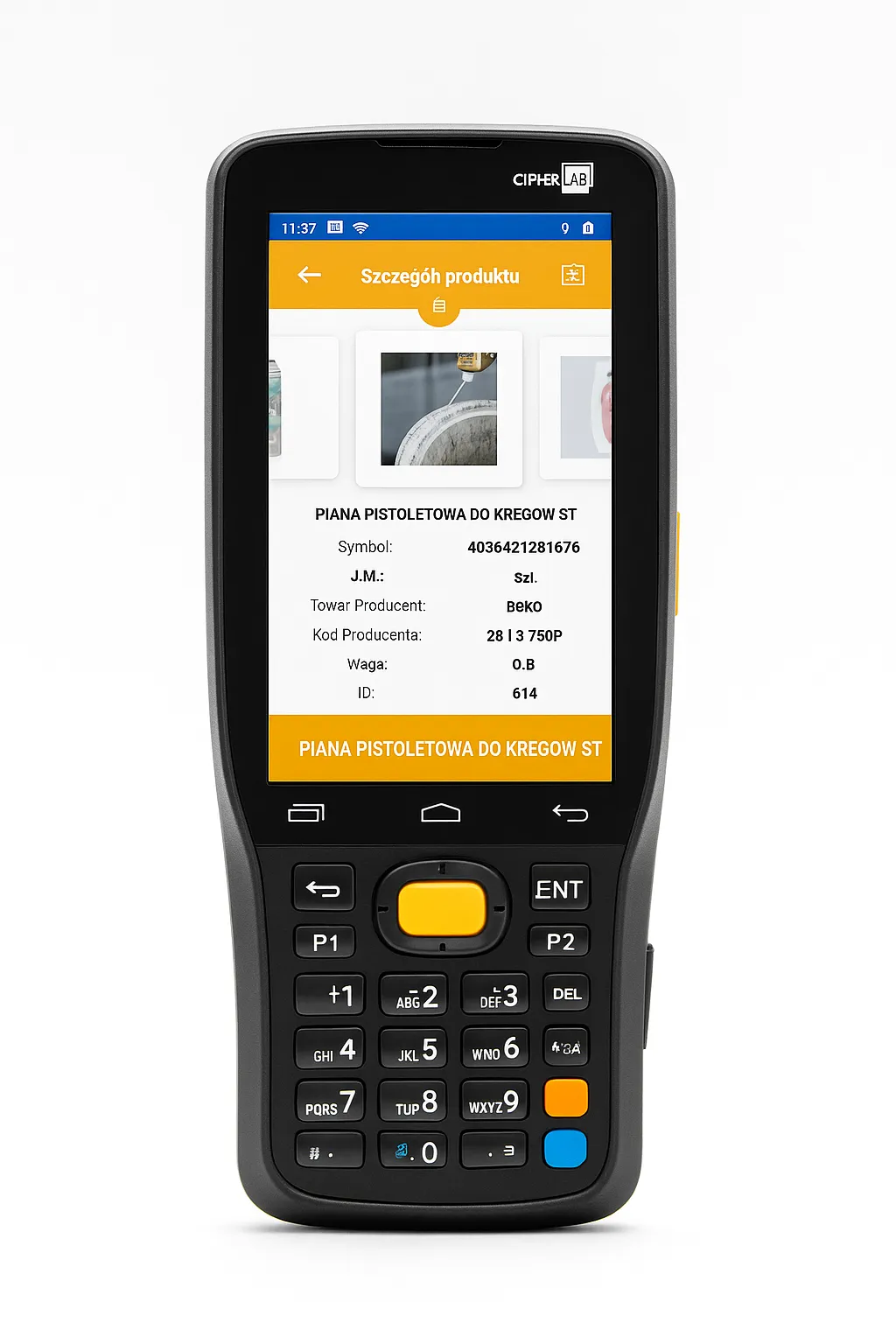
📑 View Product Details
Each item contains a detail page showing:
- Detailed photos
- Manufacturer
- Product ID
- Product Description
- EAN of the product
📶 Offline Mode (Warehouse Dead Zones)
In low-connectivity areas of the warehouse, the app switches to offline mode:
- Orders are fetched in the packing zone (Wi-Fi) and stored locally
- Products are scanned fully offline and saved to device memory
- Upon return, the user taps "Sync Now" → data sent to REST API for processing
🛠 Local caching via SQLite, with error resolution and async retry logic.
👤 User Roles and Navigation
Depending on login, users have different menu access — picker vs manager roles.
The user can log out or switch roles via the menu.
📱 Device & Barcode Integration
- Scanner: CipherLab RK26 SE4100
- SDK: Native Android Barcode SDK integrated via Xamarin DependencyService
- Logic: Scan event → validate via Web API → local UI feedback (color, sound, vibration)
🛠 Client Requests & Engineering Adjustments
- ✅ Offline-first architecture (required due to warehouse layout)
- ✅ Native vibration API support with custom bindings
- ✅ Custom DPI/UI scaling for rugged 4" scanner screens
- ✅ SQL query tuning with async endpoints and batch inserts
📊 Measurable Results
| Metric | Before | After Implementation |
|---|---|---|
| Order picking errors | 15–20% | <3% |
| Avg. pick time/order | ~6 minutes | ~2.5 minutes |
| Device training time | >1 day | <30 minutes |
🧠 User Experience
Despite operating in low-connectivity environments and integrating with industrial barcode scanners,
warehouse staff described the app as reliable, fast, and intuitive.
Most users started working without any training — the interface was tailored to real-world warehouse conditions.
Thanks to offline mode, local caching, and instant sync,
workflows continued seamlessly even in dead zones with no Wi-Fi.
According to warehouse managers, order picking errors dropped dramatically,
and new employees learned to use the scanner in under 30 minutes.